
If you have a WinniePaws coupon or promo code, you can apply it during checkout.
Where to enter it
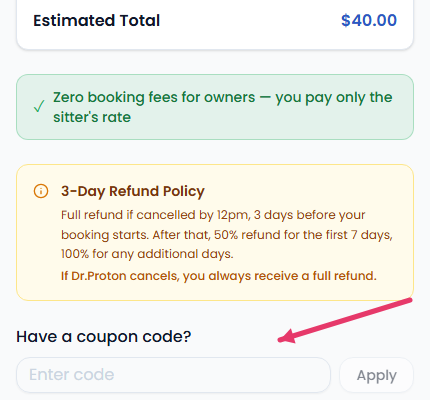
On the Review & Pricing step of the booking flow, look for Have a coupon code? Enter your code and it's validated immediately against your booking — you'll see the discount reflected in your total before you confirm.
How the discount works
WinniePaws coupons are a flat dollar-amount credit, not a percentage off — so a code is worth the same whether your booking is small or large. Codes may be limited to one use per account, and some are sitter-specific rather than sitewide.
Your code is re-verified at the moment of payment, so the discount you see at checkout is exactly what's applied — there's no separate step needed to redeem it afterward.