
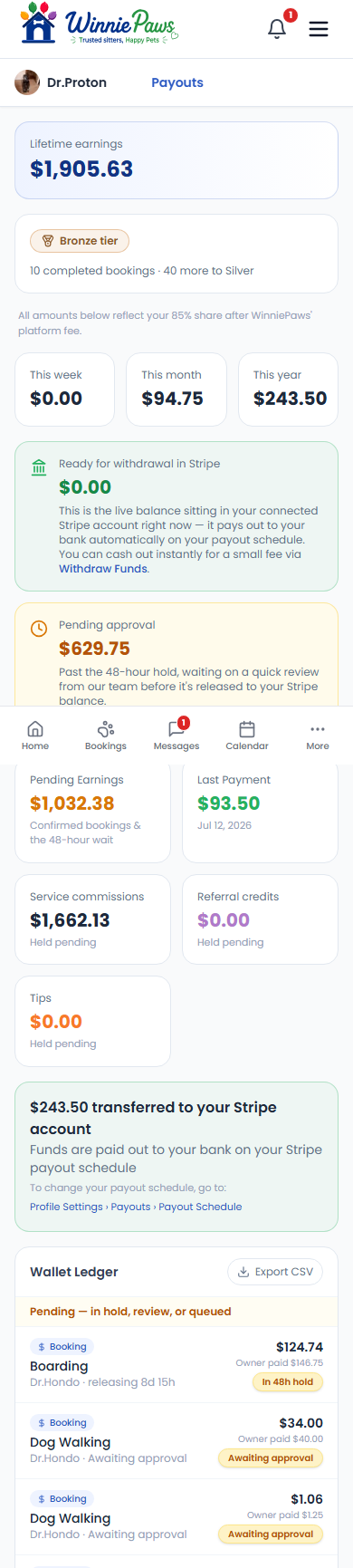
Payouts is your earnings dashboard — lifetime earnings, your current tier, and a full breakdown of what's pending versus ready to withdraw.
The 85/15 split
All amounts shown reflect your 85% share after WinniePaws' platform fee — the 15% platform fee is already deducted before anything reaches your dashboard, so the numbers you see are exactly what you'll be paid.
Pending approval vs. ready for withdrawal
New earnings sit in Pending approval for a 48-hour hold while WinniePaws reviews the completed booking. After that, they move into Ready for withdrawal in Stripe — the live balance in your connected Stripe account, which pays out to your bank automatically on your normal Stripe payout schedule.
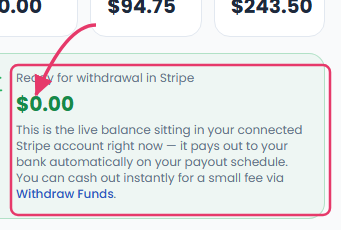
Need funds sooner? Instant Payout usually arrives within 30 minutes for a small fee, or use Withdraw Funds to send the full balance to your bank on the normal schedule. Every transaction — commissions, tips, referral credits — is itemized in the Wallet Ledger below, which you can export as a CSV.
Connecting your bank
Payouts require a connected Stripe account, managed under Settings › Payments (Stripe).
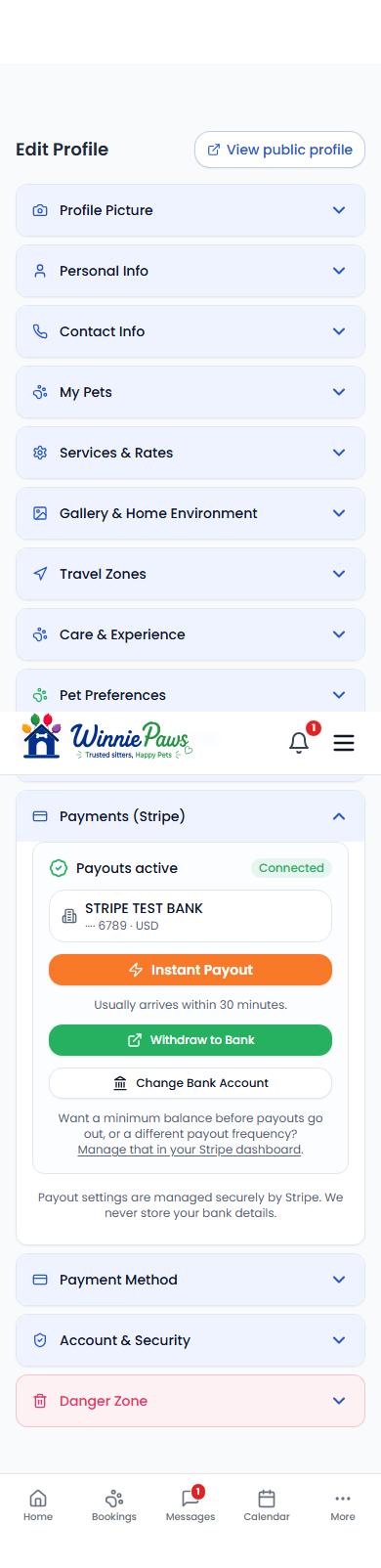
WinniePaws never sees or stores your bank details directly — that's handled entirely by Stripe.