
Search is where most of the decision-making happens — here's how to use it well.
Start with location and dates
On the Search page, enter your postcode or city (or tap Use my location), then set your search radius. Add the dates you need care, and how many dogs and/or cats you're bringing.
Narrow it down with filters
- Service type — boarding, day care, house sitting, drop-in visits, or dog walking.
- Dog size — from 0–15 lbs up to 101+ lbs.
- Max rate per night — a simple price slider.
- Housing conditions — has a house (not just an apartment), has a fenced yard.
- Household — no children in the home, no other dogs, no other cats — whatever matters for your pet.
- Top Sitters only — a toggle for highly-rated, proven sitters.
Filters apply instantly as you set them — there's no separate "Search" button to click.
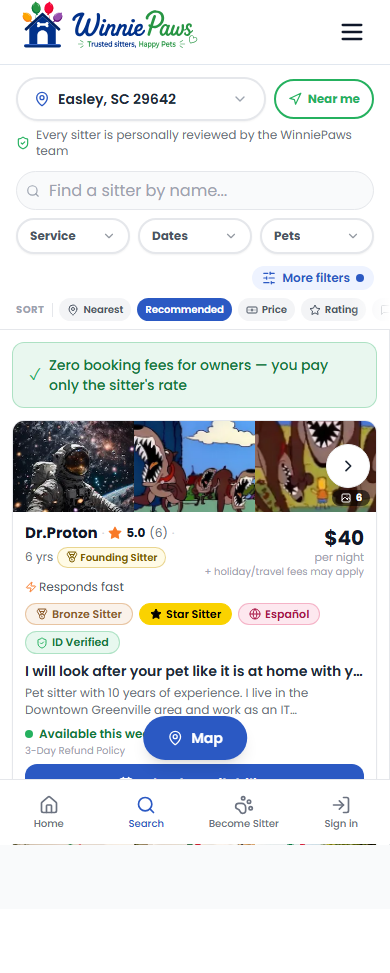
Compare with the map or the list
On desktop you'll see the list and map side by side. On mobile, use the Map / List toggle at the bottom of the screen to switch views. Sort results by Nearest, Recommended, Price, Rating, or Reviews.
Check out a profile
Tap any sitter's card to view their full profile — photos, reviews, accepted pet types, and rates. If you've already set your dates and pet count and the sitter offers exactly one matching service, tapping their card takes you straight into the booking flow instead, to save you a step.