If something didn't go as expected during a stay, you can file a dispute directly from the booking.
How to file one
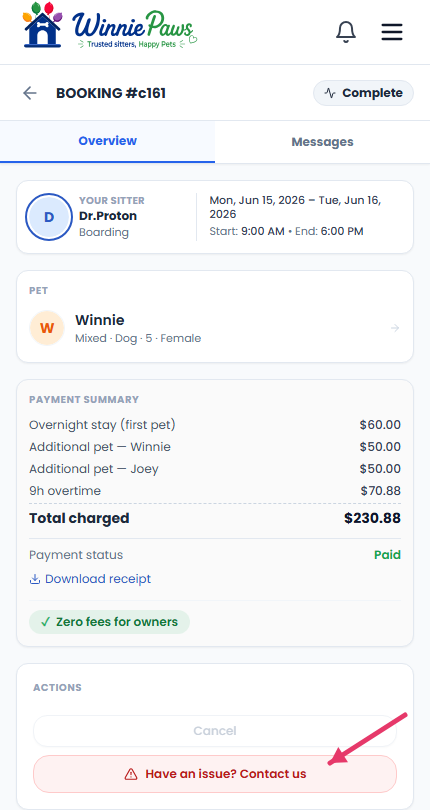
Open the booking and select Have an issue? Contact us under Actions.
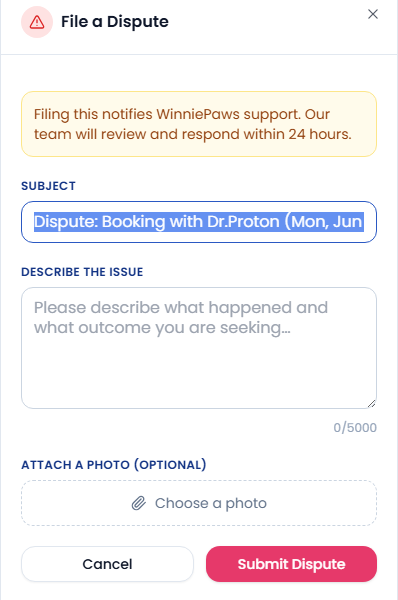
Describe what happened and what outcome you're looking for, and attach a photo if it's relevant — then submit.
What happens next
Filing a dispute notifies WinniePaws support directly, and our team reviews and responds within 24 hours. You can track the status of your report from the Support tab on your dashboard at any time.
A separate path for reviews
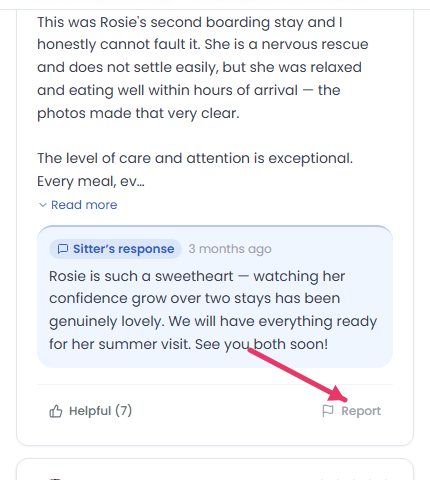
If your concern is about something written in a public review rather than the stay itself, that's handled separately — look for the flag option on the review itself rather than filing a booking dispute.