
Creating an account takes about five minutes, most of it just confirming your email and phone. Here's exactly what to expect.
Step 1: Fill out the sign-up form
- Go to Sign Up and enter your first name, last name, and email.
- Choose a password — you'll see a live strength meter and a checklist (8+ characters, an uppercase letter, a lowercase letter, and a number).
- Confirm your password, then check the boxes agreeing to the Terms of Service and communication consent (you can open and read each one first).
- Select Create Account.
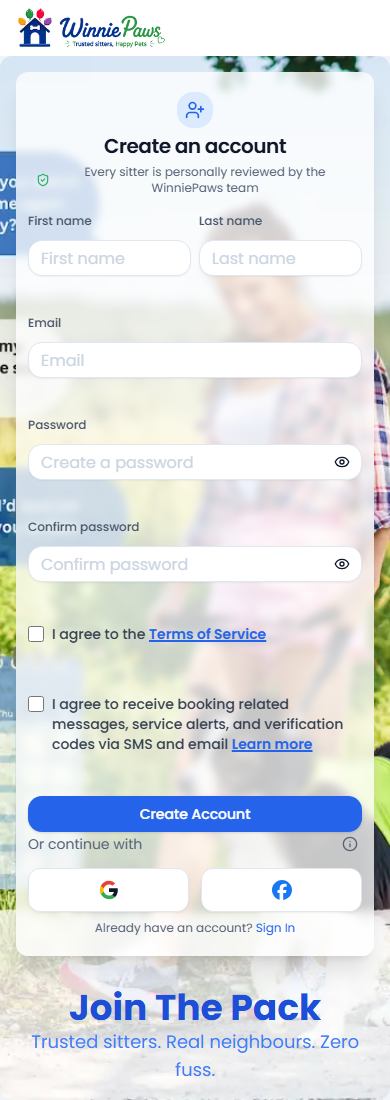
Prefer not to type a password? You can also continue with Google or Facebook — just make sure you've checked the Terms and consent boxes first.
Step 2: Verify your email
We'll send a 6-digit code to the email you signed up with. Enter it on the verification screen to continue.
Step 3: Verify your phone
Next, enter your phone number and we'll text you a 6-digit code. This confirms sitters (and support) can actually reach you about a booking.
Step 4: Choose how you'll use WinniePaws
Pick a username, then choose one of two paths:
- Pet Owner — find sitters, manage your pets' profiles, schedule care, and leave reviews.
- Pet Sitter — set your own schedule, choose which services you offer, set your rates, and build your reputation.
Select Continue.
Step 5: Complete your profile (owners)
A short 4-screen wizard finishes your profile:
- You — confirm your name and username.
- Contact — phone number and home address.
- Pets — add each pet's name, type, breed, size, age, and any special needs. You can add more than one.
- Waiver — review and accept the liability waiver.
You'll then land on a "You're in!" screen with the option to add a payment method now (recommended, so booking is faster later) or skip it for now. Either way, you're dropped straight into Search, ready to find a sitter.