
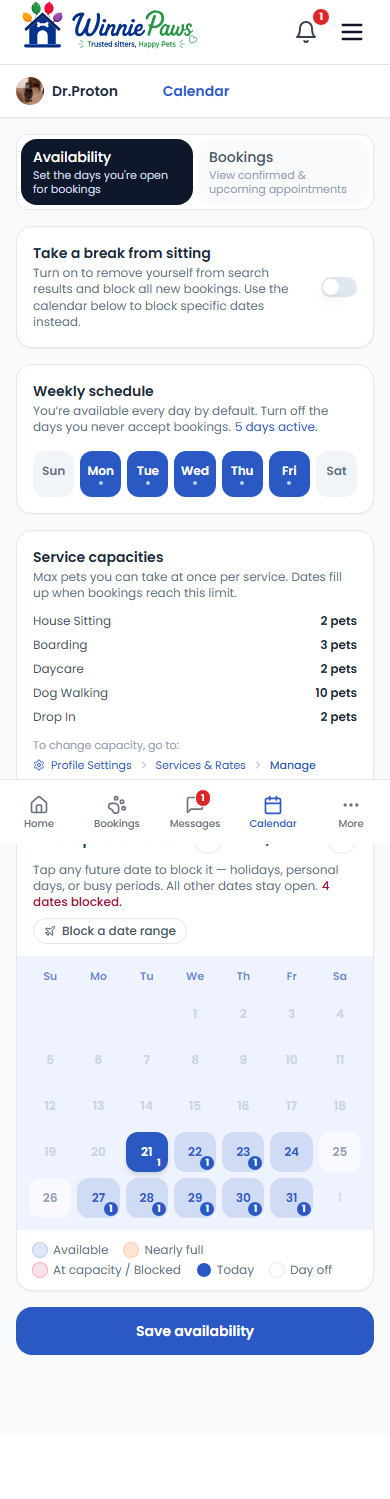
Calendar › Availability controls when owners can book you at all — it's separate from your actual booked appointments, which live under the Bookings view of the same calendar.
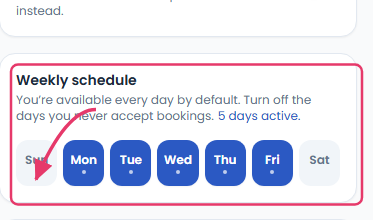
Weekly schedule
You're available every day by default — turn off any day you never accept bookings on, and it's removed from search results for that day going forward.
Service capacities & blocked dates
Each service (House Sitting, Boarding, Daycare, Dog Walking, Drop In) has its own max pets setting — once a date hits that limit for a service, it stops showing as available for new requests of that type. Use Block specific dates to close off individual days — holidays, personal days, or anything outside your normal schedule — without touching your weekly pattern.
If you need a longer break, the Take a break from sitting toggle at the top removes you from search results entirely and blocks all new bookings until you turn it back on.