New requests land under Bookings › One-Time, filtered to Pending until you respond. Everything else — Active, Confirmed, Complete, Paid, and Cancelled — has its own filter tab so you can find any booking quickly.
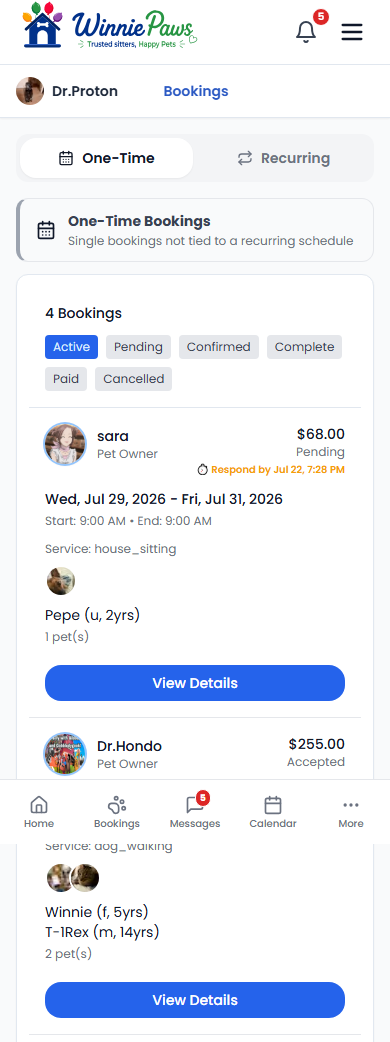
Tap View Details on any booking to accept or decline it.

Accept or decline
Owners notice a fast reply — how quickly you typically respond shows on your profile and search card (as "Responds fast" or "Replies in ~2h"), so it's worth answering as soon as you can.
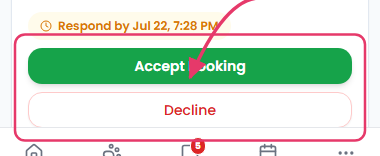
Opening a pending request shows an Accept Booking button (or Setup Payouts to Accept if you haven't connected a Stripe payout account yet — see Getting Paid: Payouts & Earnings). If you can't take it, Decline opens a short form asking for a reason before you confirm with Confirm Decline — the owner is notified either way, and a decline doesn't affect the booking itself.
You have 24 hours to respond to a request. If you don't respond in time, it simply expires — the owner's card was only ever held, never charged, so nothing needs to be refunded.